Podcast Repurposing: Turn One Episode Into a Month of Clips
Turn one video podcast episode into 30 days of Shorts, Reels and posts. Clip selection, formats, captions, AI clipping tools and a sample calendar.
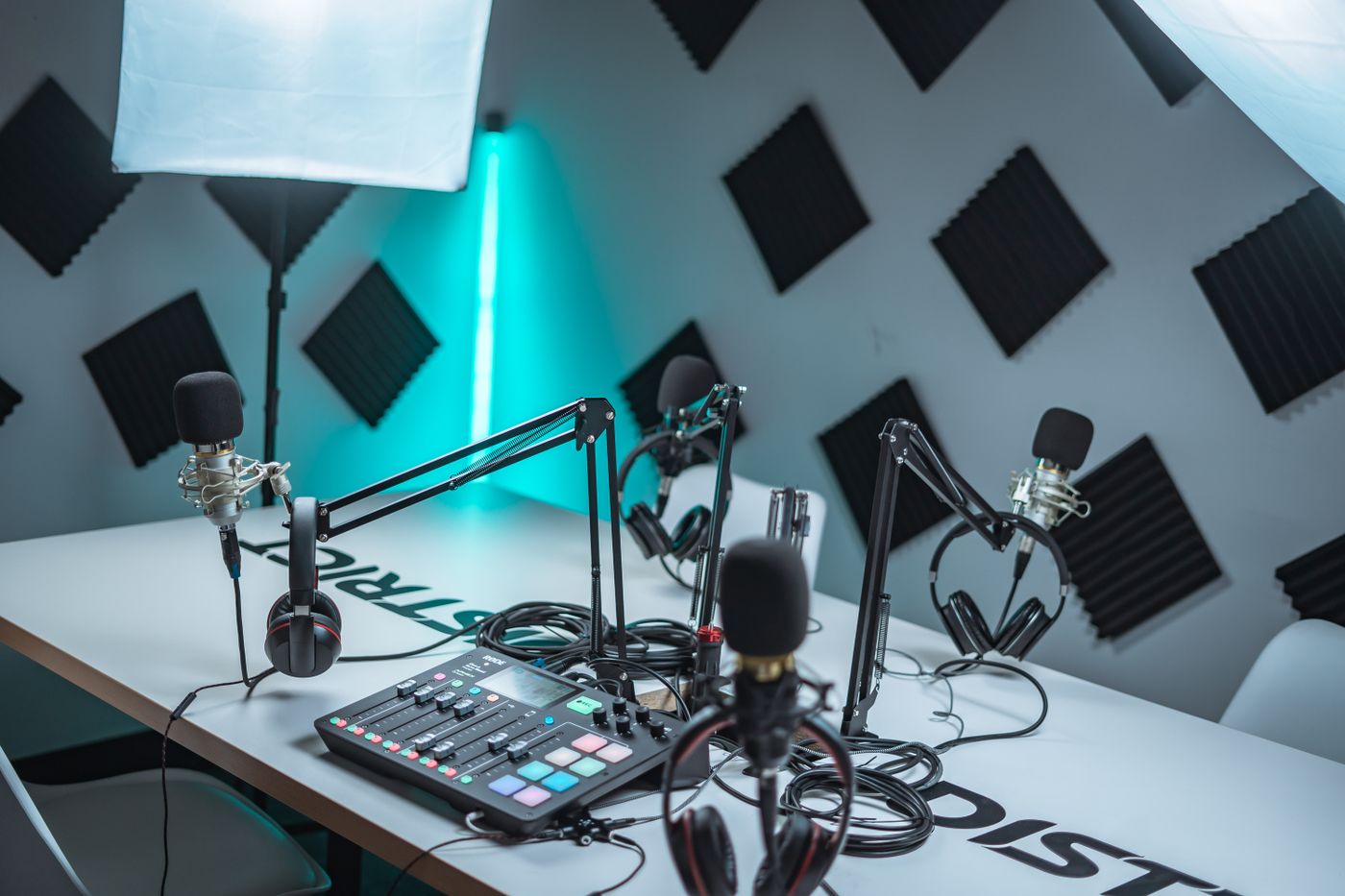
To turn one podcast episode into a month of content, record it on video and mark 10–15 self-contained moments. Cut them into vertical clips of 30–90 seconds with burned-in captions, plus a few longer highlights and text posts. Then schedule them across four weeks so each platform gets a steady drip that points back to the full episode.
Key takeaways
- Podcasts are now a video medium: YouTube reported more than 1 billion monthly podcast viewers as of January 2025.
- 57% of Americans aged 12+ have both listened to and watched a podcast (Edison Research, 2026).
- Short clips are how new listeners find shows. 47% of weekly TikTok users use the app to find podcasts (Edison Research, 2025).
- The best clips stand alone: one idea, a strong first line and a clear payoff in under 90 seconds.
- AI clipping tools speed up the first pass, but a human should pick the final clips and check the captions.
- One episode can fill 30 days with roughly 12–16 clips, 2–3 longer cuts and repurposed text and audiograms.
Why repurpose podcast episodes into video clips?
Podcasting has become a dual-format medium. People listen on the commute and watch on TV, phones and laptops. Short clips are the trailer that brings them to the full episode.
The numbers back this up. YouTube said in February 2025 that it had more than 1 billion monthly active viewers of podcast content (as of January 2025). It also said viewers on living-room devices watched over 400 million hours of podcasts a month in 2024. Spotify said in May 2026 that more than 500 million users had streamed a video podcast, up nearly 50% year on year.
In the US, Edison Research's Infinite Dial 2026 (2,050 respondents aged 12+, fielded January 2026) found that 80% of Americans have ever listened to or watched a podcast. 58% consume podcasts monthly and 45% weekly. For the first time, more than half (57%) said they had both listened to and watched one. As Edison Research VP Megan Lazovick put it, as reported by Tubefilter: "Video isn't replacing podcast audio. It's expanding the tent."
| Ever listened to or watched a podcast | 80 |
|---|---|
| Consume podcasts monthly | 58 |
| Both listened to and watched a podcast | 57 |
| Consume podcasts weekly | 45 |
How do people discover podcasts through short clips?
Long episodes are a big commitment for a new listener. A 45-second clip is not. Edison Research's top findings of 2025 show how much discovery now happens in short-form feeds and search:
- 47% of weekly TikTok users aged 13+ use the app to find podcasts, rising to 51% among 13–24-year-olds.
- 36% of Gen Z weekly podcast listeners use YouTube most often to consume podcasts, just ahead of Spotify at 35%.
- 28% of Gen Z who listened in the last month discover podcasts most often by searching on YouTube, followed by social media posts at 26%.
- 52% of Americans 12+ consider YouTube-only discussion videos to be podcasts.
These figures are US-based. They still show the pattern we see with Indian creators and brand podcasts too: clips are the front door, and the full episode is the living room.
How do you choose which moments to clip?
Most episodes have far more clip-worthy moments than people expect. The trick is knowing what to look for. We scan the transcript and mark any moment that ticks at least two of these boxes:
- It stands alone. A stranger can understand it without the previous ten minutes.
- It opens strong. The first sentence is a claim, a question, a number or a surprise.
- It has a payoff. It ends on an answer, a punchline, a lesson or a twist.
- It sparks a reaction. People will agree, argue, tag a friend or save it.
- It shows emotion or energy. Laughter, a story told with feeling or a heated exchange.
Clip types that work
- The hot take: a strong opinion stated plainly.
- The how-to: a quick, practical tip or framework.
- The story: a 60–90 second personal story with a clear arc.
- The stat or fact: a surprising, sourced number, explained.
- The myth-buster: "Most people think X. Actually, Y."
- The guest highlight: the moment your guest says the thing they are known for.
Which formats and aspect ratios should you use?
Each platform rewards a different shape and length. Plan your crops before you record so the framing works for every cut.
| Format | Aspect ratio | Typical length | Where it goes |
|---|---|---|---|
| Vertical short | 9:16 | 30–90 seconds (platforms allow up to 3 minutes) | YouTube Shorts, Instagram Reels, Facebook Reels, TikTok |
| Square clip | 1:1 | 30–90 seconds | LinkedIn and X feeds, WhatsApp Status, some ads |
| Landscape highlight | 16:9 | 3–12 minutes | YouTube main channel, website embeds |
| Audiogram | 1:1 or 9:16 | 30–60 seconds | For audio-only shows or episodes with weak video |
| Quote card or carousel | 1:1 or 4:5 | Static | Instagram, LinkedIn, newsletter |
YouTube's help centre says Shorts can be up to three minutes long and should be vertical. Instagram extended Reels to three minutes (from 90 seconds) in January 2025 and moved profile grids from squares to rectangles. So check how your cover frame crops on the grid.
In our experience most podcast clips perform best well under the maximum. Use the extra length for stories that need it, not as a default.
Recording for repurposing
- Use at least one camera per speaker and a wide shot, so you can cut to whoever is talking in a vertical frame.
- Leave headroom and side room so a 9:16 crop does not cut off faces or hands.
- Record clean audio on separate tracks. Poor audio kills clips faster than poor video.
- Keep the background simple with a branded element that survives a tight crop.
Why do captions matter for podcast clips?
Captions do three jobs: they make clips accessible to deaf and hard-of-hearing viewers, they work for people scrolling with the sound off, and they hold attention by giving the eye something to follow.
Meta's 2025 guidance for Reels ads stresses keeping captions and call-to-action buttons inside the safe zone so interface elements do not cover them. It also recommends 9:16 and using audio. That applies to organic clips just as much.
Our captioning checklist: - Burn captions into the video. Do not rely on auto-captions alone. - Use large, high-contrast text, two lines at most, positioned in the middle third. - Check every name, brand and technical term. Auto-transcription often gets these wrong, especially with Indian names and Hinglish. - Highlight one key word per line for emphasis, but do not overdo animation. - Add a short headline at the top for the first two seconds that tells viewers why to keep watching.
What AI clipping tools can help, and what are their limits?
AI clipping tools scan a transcript, suggest highlight moments, reframe to vertical and add captions. They save hours on the first pass. Here is a neutral look at three popular options, based on each company's own product or help pages.
- OpusClip. Its site describes "ClipAnything", which clips moments from many video types and accepts natural-language prompts. It also lists "AI Reframe" for 1:1, 16:9 and 9:16, "Animated captions", "AI B-Roll", brand templates and a "Virality score" that estimates each clip's potential. It also includes a social scheduler for YouTube, TikTok, Instagram, Facebook, LinkedIn and X.
- Riverside Magic Clips. Riverside's help centre says Magic Clips uses AI to find highlights in recordings or uploaded files. It typically finds about two clips for every five minutes of conversation, and clips are generally 30 to 90 seconds with animated captions. You can steer it by speaker and keywords. The number of extra clip sets depends on your plan.
- Descript Create clips. Descript's help centre says its Create clips tool lets you pick 1 to 20 clips and a length from 10 seconds to 5 minutes. You can choose layouts such as portrait (9:16) or square (1:1) and add a topic or goal to guide which moments it selects. Each clip becomes its own editable composition.
Features and plans change often, so check each tool's current pricing and limits before you commit.
Our workflow: let the tool suggest 20–30 candidates, have an editor pick the best 12–16, then refine the openers, captions and endings by hand.
How often should you post podcast clips?
Consistency beats volume. A steady rhythm that you can sustain for months does more than a burst of 30 clips in one week.
For a weekly show we suggest:
- 3–4 vertical clips a week per short-form platform
- 1 longer highlight a week on your main YouTube channel
- 1–2 text or carousel posts a week on LinkedIn or Instagram
- 1 newsletter mention with the best clip embedded
If you publish weekly, each new episode tops up the queue, and the strongest clips from older episodes can be reshared months later with a fresh hook.
What does a 30-day podcast clip calendar look like?
Here is a sample calendar built from a single 60-minute episode. Adjust the platforms to where your audience actually is.
| Week | Day | Content |
|---|---|---|
| 1 | Mon | Full episode live on YouTube and audio platforms; 60-second trailer clip on Shorts and Reels |
| 1 | Wed | Clip 1: the strongest hot take (vertical) |
| 1 | Fri | Clip 2: a how-to tip; LinkedIn text post summarising three lessons |
| 1 | Sun | Clip 3: guest highlight |
| 2 | Tue | Clip 4: story clip (60–90 seconds) |
| 2 | Wed | 8-minute landscape highlight on YouTube |
| 2 | Thu | Clip 5: myth-buster; quote card carousel |
| 2 | Sat | Clip 6: behind-the-scenes or blooper |
| 3 | Mon | Clip 7: stat or fact clip, with the source on screen |
| 3 | Wed | Clip 8: audience question answered in the episode |
| 3 | Thu | Newsletter feature with clips 1–8 and the full-episode link |
| 3 | Sat | Clip 9: second guest highlight |
| 4 | Tue | Clip 10: the "unpopular opinion" |
| 4 | Wed | Second landscape highlight or "best of" compilation |
| 4 | Fri | Clip 11: practical framework, square cut for LinkedIn |
| 4 | Sun | Clip 12: re-cut of the best-performing clip with a new hook |
How do you build a repeatable repurposing workflow?
Turn the calendar into a system so it runs every week without heroics.
- Record for clipsFilm every speaker plus a wide shot with clean, separate audio, framed with room for a 9:16 crop.
- Transcribe and markGenerate a transcript and tag every moment that stands alone, opens strong and lands a payoff.
- Shortlist with AI and editorsUse an AI clipping tool for first-pass suggestions, then have a person choose the final 12–16 clips.
- Edit, caption and brandCut vertical, square and landscape versions with accurate burned-in captions, a hook headline and a consistent brand style.
- Schedule across 30 daysLoad clips, highlights and posts into a calendar so each platform gets a steady drip that links to the full episode.
- Review and recycleEach month, check retention and follows by clip type, then re-cut top performers with new hooks.
How do you measure whether podcast clips are working?
Track numbers that link clips to show growth, not just views:
- Average view duration and retention on each clip, to learn which openers hold attention
- Follows and subscribes gained per clip
- Clicks or traffic to the full episode, using a pinned comment, a link in bio or end screens
- Episode-level downloads and views in the week after clips go live
Keep a simple spreadsheet of clip type, hook, length and results. After two or three months, you will know which clip types your audience rewards, and you can make more of them.
Want help producing a video podcast or a monthly clip package? See our services and pricing, or contact us. Prefer to learn the editing yourself? Our academy and templates cover vertical edits and caption styles.
Frequently asked questions
How many clips can I get from one podcast episode?+
It depends on the conversation, but Riverside's help centre says its Magic Clips tool typically finds about two clips per five minutes of conversation. In our experience a 60-minute episode usually yields 12–16 strong, standalone clips after human review.
What is the best length for podcast clips?+
We recommend 30–90 seconds for most vertical clips. YouTube Shorts and Instagram Reels both allow up to three minutes, so longer stories can work when they hold attention.
Should my podcast be on YouTube?+
If you can record video, yes. YouTube reported more than 1 billion monthly podcast viewers as of January 2025, and Edison Research found 36% of Gen Z weekly podcast listeners use YouTube most often for podcasts.
Are AI clipping tools good enough on their own?+
They are good for a fast first pass with highlight detection, reframing and captions. A person should still pick the final clips, fix caption errors and check context before anything is published.
Do I need captions on podcast clips?+
Yes. Captions make clips accessible, work for viewers scrolling with sound off and help hold attention. Burn them in and check names and technical terms by hand.
How often should I post podcast clips?+
For a weekly show, aim for three to four vertical clips a week per short-form platform, plus one longer highlight and one or two text posts. Choose a pace you can keep up for months.
Sources
- U.S. Podcast and Online Audio Consumption Reach Record Highs; Generative AI Being Adopted in Massive Numbers (The Infinite Dial 2026) — Edison Research at SSRS, 2026
- Four out of five U.S. adults have listened to or watched a podcast — Tubefilter, 2026
- The Top 10 Findings of 2025 from Edison Research — Edison Research at SSRS, 2025
- Celebrating 1 billion monthly podcast users on YouTube — YouTube Official Blog, 2025
- Spotify Levels Up Our Podcast Experience With New Features for Fans and Creators — Spotify Newsroom, 2026
- Get started creating YouTube Shorts — YouTube Help, 2026
- Instagram swoops in with 3-minute Reels and rectangular profile grids — Engadget, 2025
- Boost Reels Performance by Following Meta's 3 Simple Steps — Website Builder Expert, 2025
- OpusClip: AI video clipping tool — OpusClip, 2026
- About Magic Clips — Riverside Help Center, 2026
- Create clips from your content — Descript Help, 2026
Want videos built on this playbook?
We script, shoot, generate and edit short-form, ads and AI video for brands and creators — price agreed upfront.
Written and fact-checked by the Frame Wizard team in Mumbai. First published . We cite every statistic to its source and update guides as platforms change. Spotted an error? Tell us.
Related guides

Shorts to Long-Form: A 5-Step YouTube Funnel Playbook
Use YouTube Shorts to feed your long videos. A 5-step playbook with related video links, posting cadence and 2026 data on what works.
How to Write Video Hooks That Stop the Scroll (2026 Playbook)
Hook formulas, first-seconds rules and platform guidance from Meta, TikTok and YouTube to write video hooks that stop the scroll and lift retention.
Creator News: 1M YouTube Members, TikTok Likeness Checks
Samay Raina passes 1 million YouTube members, TikTok opens Likeness Detection worldwide and YouTube adds 15 API partners. News from 20–27 Nov 2026.
Book a Frame Wizard Strategy Call
Tell us about your brand or channel. We'll review your hook metrics and recommend the optimal production framework.